
how to compile (using ubuntu, cmake, and code::blocks)
✏️ Edit this page on GitHubThis page explains how to build using Code::Blocks on Ubuntu.
#contents
Environment Setup
Code::Blocks can be installed with the following command.
sudo apt-get install codeblocks
If Doxygen and CMake are not already installed, install them with the following command.
sudo apt-get install doxygen cmake
Build Procedure
CMake
Move to the folder containing the code generated by RTC Builder, and run the following commands to generate various files in the build folder.
 mkdir build
 cd build
 cmake . -G "CodeBlocks - Unix Makefiles"
Running Code::Blocks
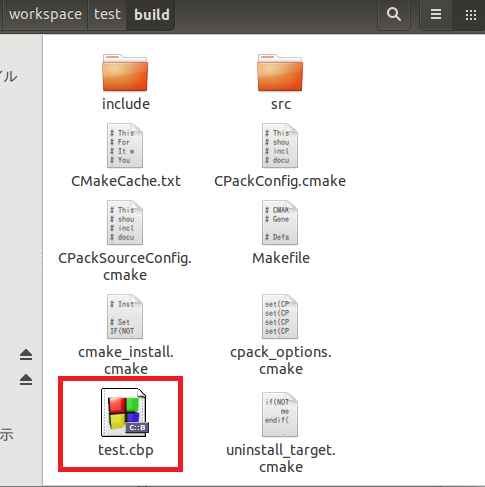
Open the .cbp file in the build folder.
Click the [Build] button (or press Ctrl+F9) to start the build process.
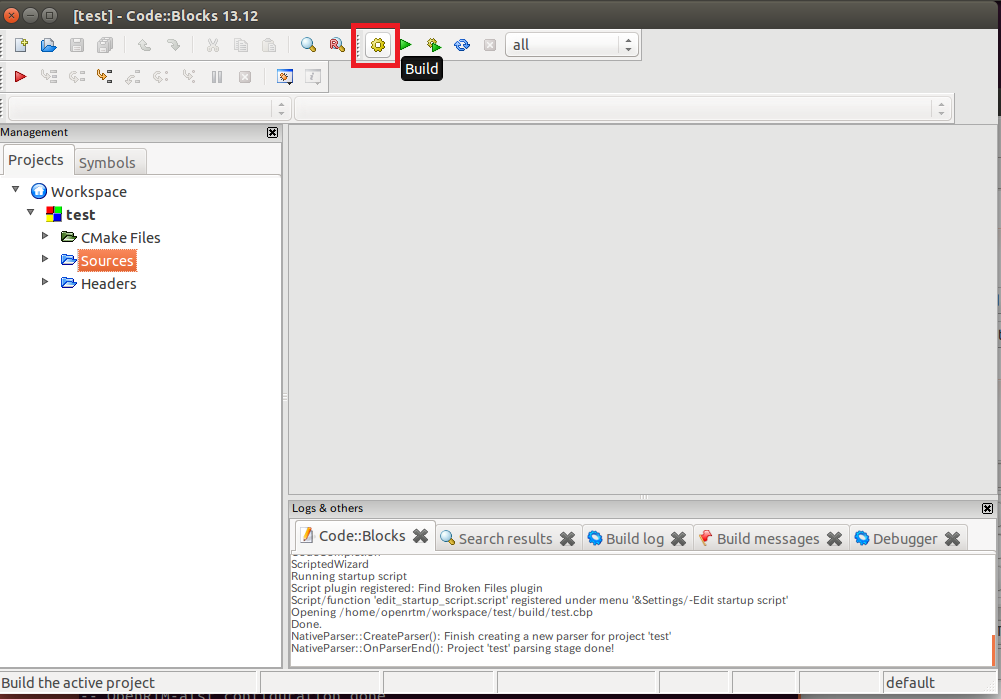
The executable files and shared libraries will then be generated in the build/src folder.