
appendix
✏️ Edit this page on GitHub#contents
Copying Files to Raspberry Pi
By enabling SSH in the Raspberry Pi configuration utility (raspi-config), sFTP becomes available.
To connect to a Raspberry Pi from Windows using sFTP, use an sFTP-compatible client such as WinSCP.
You can download WinSCP from the following page:
- http://winscp.net/eng/docs/lang:jp
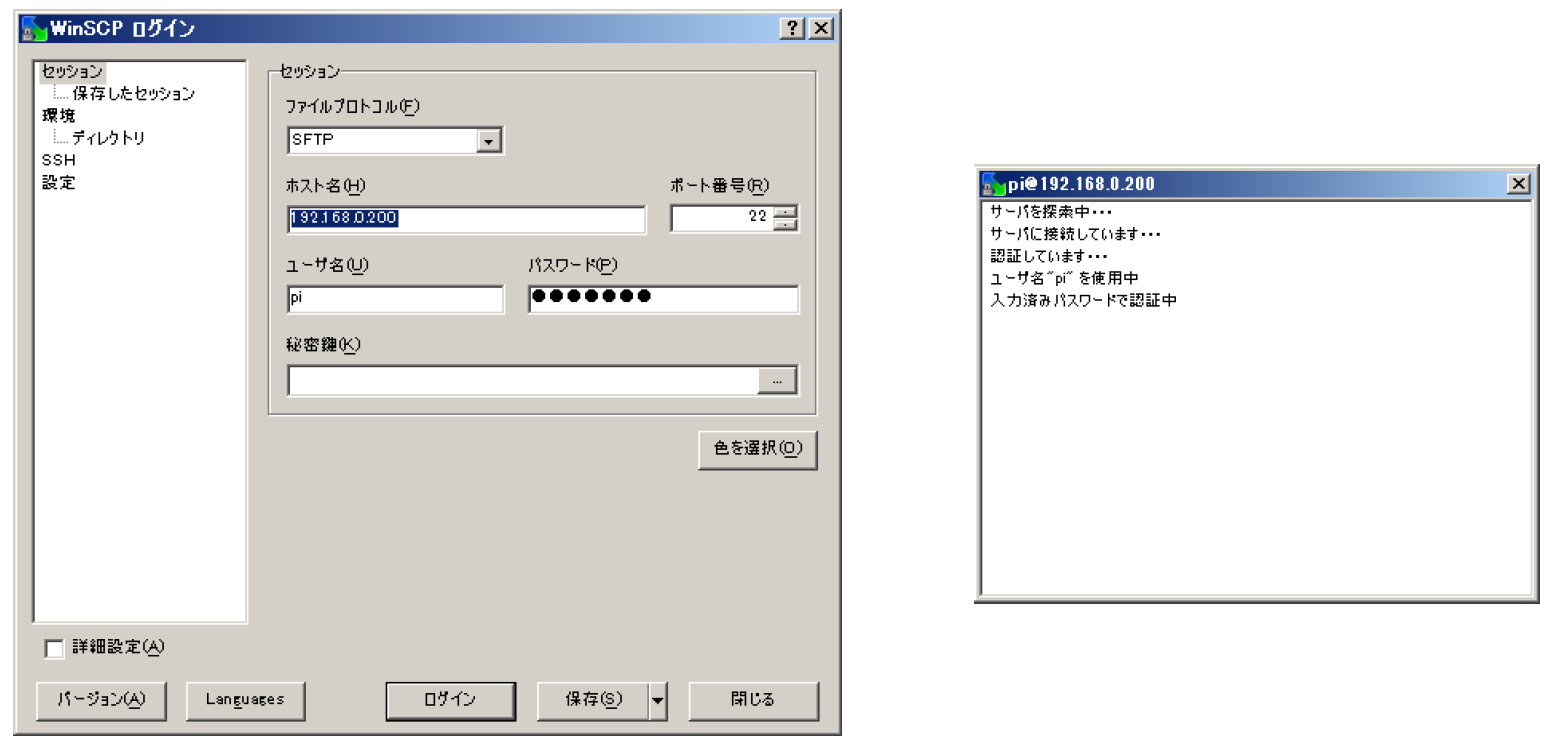
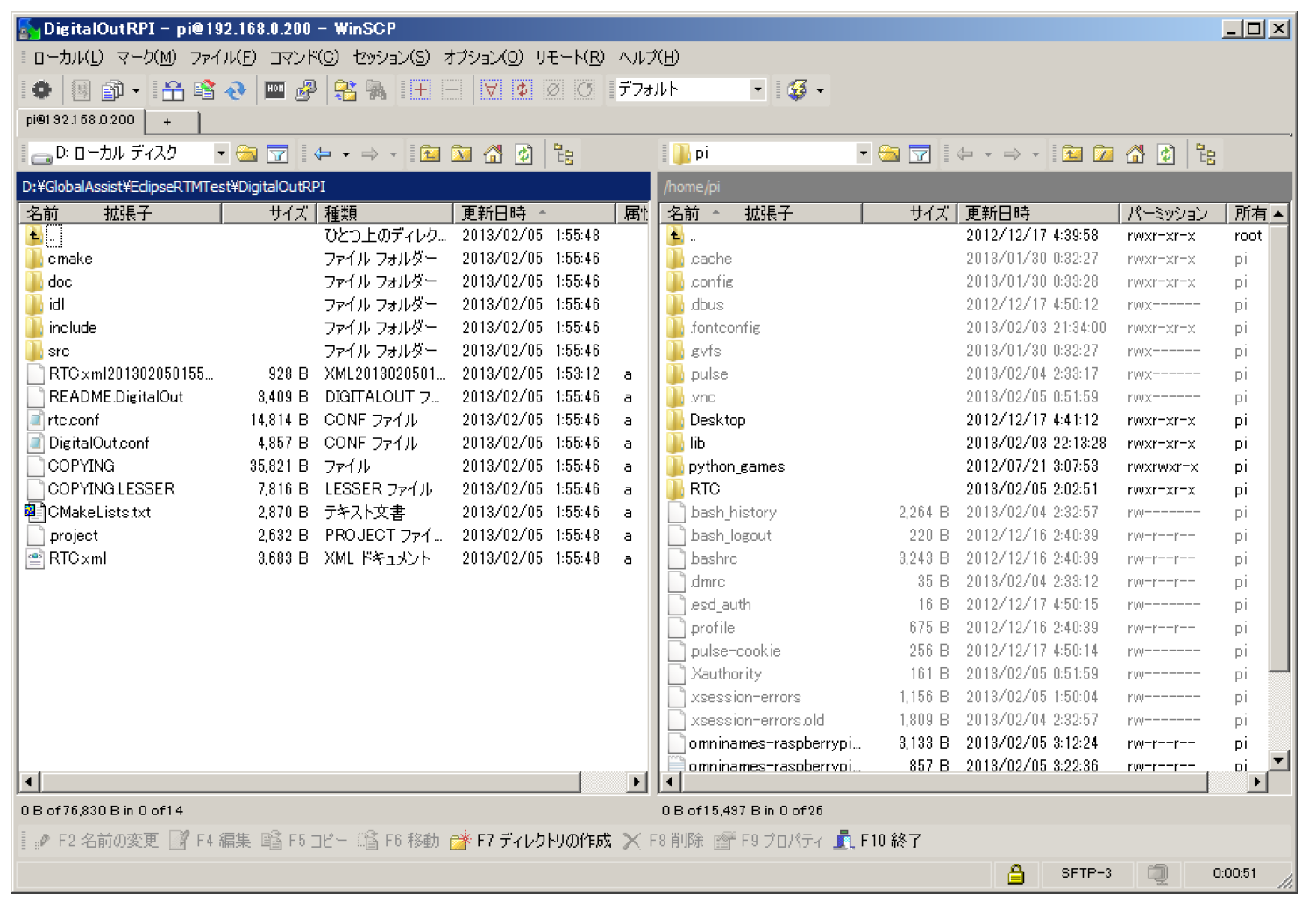
Figure 4-1. sFTP Connection
Using VNC (Virtual Network Computing)
To operate the Raspbian GUI environment from a development PC, install a VNC server on the Raspberry Pi.
You can download a VNC client from the following page:
- http://www.vector.co.jp/soft/win95/net/se324464.html
$ su
# apt-get install tightvncserver
During installation, you will be prompted to enter a password for VNC server access. Set an appropriate password.
After installing the VNC server, connect to the Raspberry Pi via SSH from your development PC and start the VNC server.
$ vncserver :1 -geometry 1024x600 -depth 16 -pixelformat rgb565
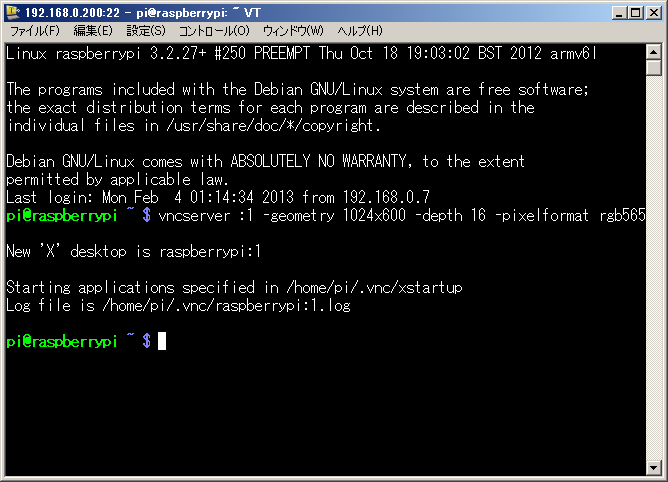
Figure 4-2. Starting the VNC Server
To connect to the VNC server from Windows, use a VNC client application such as RealVNC.
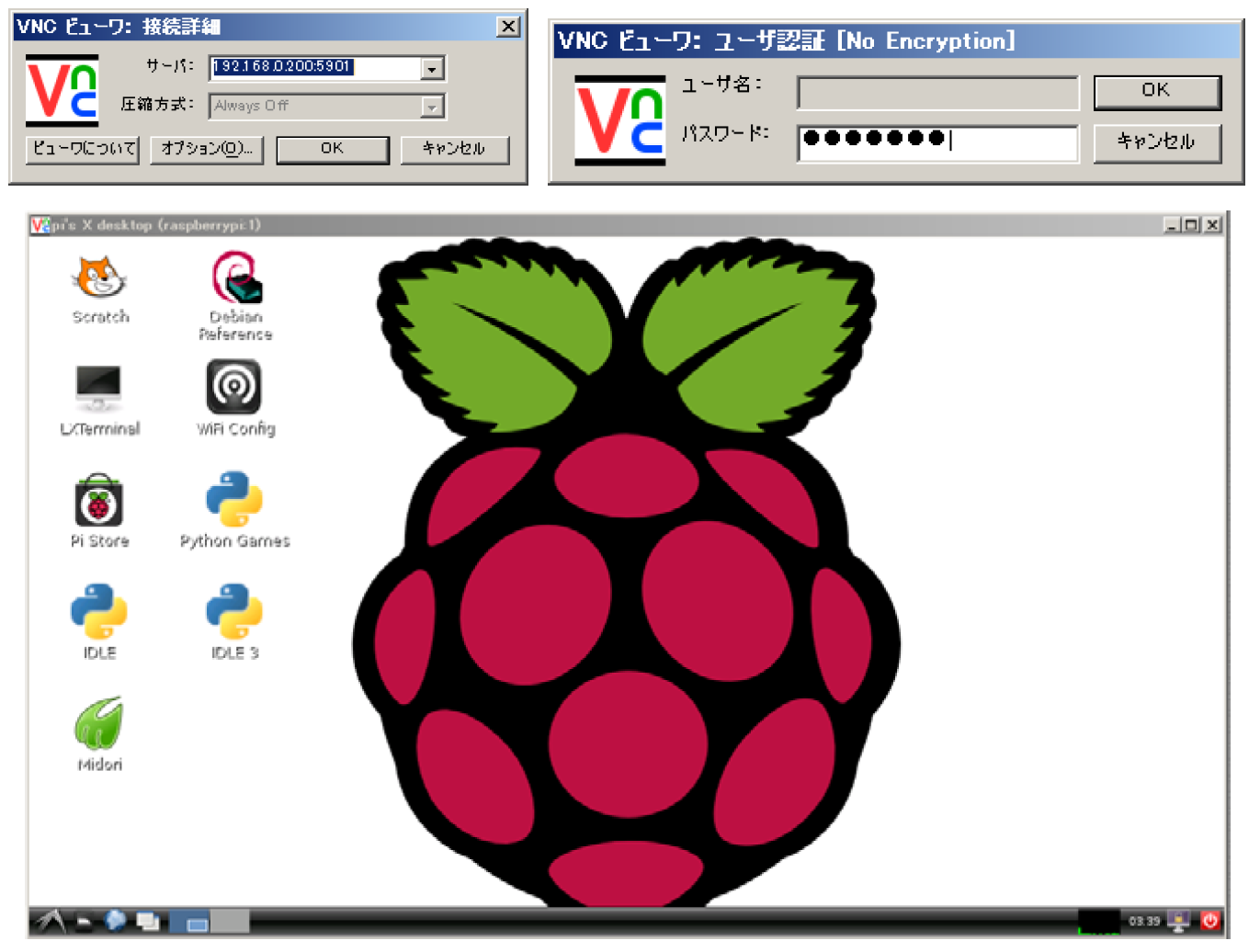
Figure 4-3. VNC Connection